ChatGPT image upscaler
Nothing is uploaded
Level 1
Your picture, up to 4x bigger and sharper
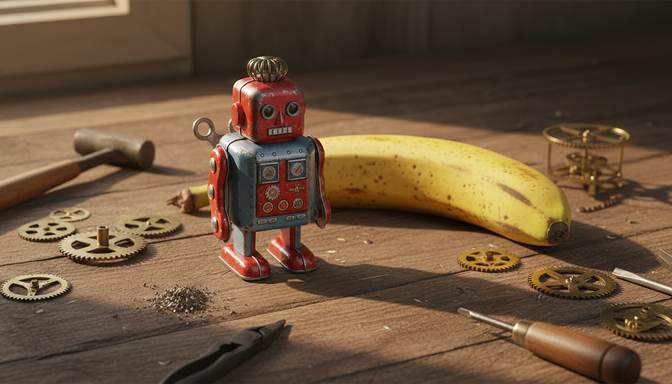
Real result from this tool. Sample made with Nano Banana, reduced to 672 x 384, then enhanced 4x.
Your level and badges
Level 1, with 0.0 MP gained. 5 MP reaches the next level. It's all kept in this browser.
- First clearFinish your first pictureNot earned yet
- Tile tapperTap 5 tiles in one runNot earned yet
- 4K clubMake a picture 3840 pixels wide or moreNot earned yet
- Rank SSharpen a soft picture by 60% or moreNot earned yet
- Second windSend a finished picture through againNot earned yet
- Both modesFinish one Photo and one Art pictureNot earned yet
- CollectorFinish pictures from 4 different AI toolsNot earned yet
- 100 MPGain 100 megapixels in totalNot earned yet
Make a ChatGPT image up to four times bigger and sharper. It runs on your own device, so nothing is uploaded, and it keeps transparent backgrounds.
What size are ChatGPT images?
OpenAI recommends three sizes for its current GPT Image models: 1024 x 1024 for square, 1536 x 1024 for landscape and 1024 x 1536 for portrait. That's between about 1 and 1.6 megapixels. Larger custom sizes exist through OpenAI's API, but not everyone can reach them.
Older images from DALL-E 3 are 1024 x 1024, 1792 x 1024 or 1024 x 1792, and DALL-E 2 went as small as 256 x 256.
| Starting size | At 2x | At 4x |
|---|---|---|
| 1024 x 1024 | 2048 x 2048 | 4096 x 4096 |
| 1536 x 1024 | 3072 x 2048 | 6144 x 4096 |
| 1024 x 1536 | 2048 x 3072 | 4096 x 6144 |
| 256 x 256 | 512 x 512 | 1024 x 1024 |
Getting the best result from a ChatGPT image
Start from the original file. Use the download button on the image rather than a screenshot or a copy from a social app. Each copy loses a little detail, and the upscaler can only work from what's left.
Choose Art for logos, stickers and flat illustrations. Choose Photo for realistic scenes. They are different AI models, and each is better at its own kind of picture.
Look closely at text. ChatGPT is good at lettering, but upscaling redraws small letters and can change them. Keep the original to hand if the words matter, and compare the two with the slider.
Keep transparency. If you asked ChatGPT for a transparent background, download as PNG or WebP and it stays transparent. JPEG can't store it, so transparent parts turn white.
Frequently asked questions
Can ChatGPT upscale its own images?
You can ask it to make an image again at a larger size, but that creates a new picture, which may differ from the one you liked. An upscaler keeps your picture and only enlarges it.
Why does my ChatGPT image look blurry?
The file is often smaller than the space it's being shown in, such as a full screen or a banner, so the browser or app stretches it. Enlarging it first gives the screen real pixels to show.
Does upscaling change my ChatGPT image?
The composition and colours stay the same. Fine detail is redrawn, so very small text and distant faces can shift slightly. Compare them before you use the file.
Your picture is ready. Now put it in front of people.
Oxtro connects your WhatsApp number by QR code, so your team can share one inbox, send images to people who opted in, and run messages from your own code.
More free tools: Image compressorImage resizer All tools