Grok image upscaler
Nothing is uploaded
Level 1
Your picture, up to 4x bigger and sharper
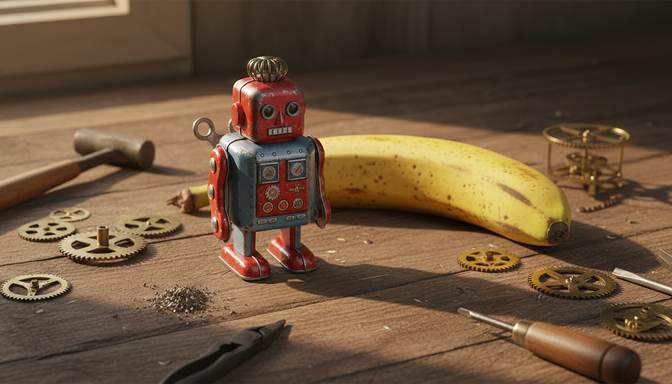
Real result from this tool. Sample made with Nano Banana, reduced to 672 x 384, then enhanced 4x.
Your level and badges
Level 1, with 0.0 MP gained. 5 MP reaches the next level. It's all kept in this browser.
- First clearFinish your first pictureNot earned yet
- Tile tapperTap 5 tiles in one runNot earned yet
- 4K clubMake a picture 3840 pixels wide or moreNot earned yet
- Rank SSharpen a soft picture by 60% or moreNot earned yet
- Second windSend a finished picture through againNot earned yet
- Both modesFinish one Photo and one Art pictureNot earned yet
- CollectorFinish pictures from 4 different AI toolsNot earned yet
- 100 MPGain 100 megapixels in totalNot earned yet
Make a Grok image up to four times bigger and sharper. The AI runs on your own device, so nothing is uploaded.
What size are Grok images?
xAI's documentation lists two main sizes for Grok Imagine images: 1K at 1024 x 1024 and 2K at 2048 x 2048. A copy saved from a post on X may be smaller and more compressed than either.
| Starting size | At 2x | At 4x |
|---|---|---|
| 1024 x 1024 | 2048 x 2048 | 4096 x 4096 |
| 2048 x 2048 | 4096 x 4096 | 8192 x 8192 |
Getting the best result
Download the image itself where you can, instead of taking a screenshot or saving a compressed copy from a post. The AI can only work from what the file still holds.
Match the mode to the picture. Choose Photo for realistic images, and Art for anime, cartoons and illustration.
Check small text and faces. Upscaling redraws fine detail, so these can change. The compare slider lets you check before you download.
Upscalers for other AI tools
Frequently asked questions
Does this work on images saved from X?
Yes. It works on any image file, including saved copies. A heavily compressed copy improves, but it won't be as good as the original download.
Do I need a Grok or X account?
No. You don't need an account here at all, and the tool doesn't connect to Grok or X. It only needs the image file.
Will it remove a watermark from a Grok image?
No. It enlarges the picture as it is, so a visible mark stays.
Your picture is ready. Now put it in front of people.
Oxtro connects your WhatsApp number by QR code, so your team can share one inbox, send images to people who opted in, and run messages from your own code.
More free tools: Image compressorImage resizer All tools