Midjourney upscaler
Nothing is uploaded
Level 1
Your picture, up to 4x bigger and sharper
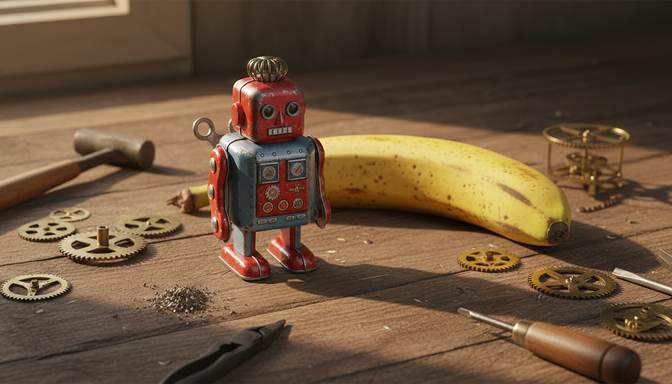
Real result from this tool. Sample made with Nano Banana, reduced to 672 x 384, then enhanced 4x.
Your level and badges
Level 1, with 0.0 MP gained. 5 MP reaches the next level. It's all kept in this browser.
- First clearFinish your first pictureNot earned yet
- Tile tapperTap 5 tiles in one runNot earned yet
- 4K clubMake a picture 3840 pixels wide or moreNot earned yet
- Rank SSharpen a soft picture by 60% or moreNot earned yet
- Second windSend a finished picture through againNot earned yet
- Both modesFinish one Photo and one Art pictureNot earned yet
- CollectorFinish pictures from 4 different AI toolsNot earned yet
- 100 MPGain 100 megapixels in totalNot earned yet
Take a Midjourney image further than Midjourney's own upscalers. It runs on your own device, so nothing is uploaded and no GPU minutes are spent.
What size are Midjourney images?
According to Midjourney's documentation, on V8.2 a standard image starts at 1024 x 1024 at the default aspect ratio. Its Subtle and Creative upscalers double that to 2048 x 2048, and each one costs about 2 minutes of GPU time. HD images start at 2048 x 2048 and can't currently be upscaled further there.
That's where this tool helps. It takes the 2048 x 2048 file further, for large prints and banners.
| Starting size | At 2x | At 4x |
|---|---|---|
| 1024 x 1024 | 2048 x 2048 | 4096 x 4096 |
| 2048 x 2048 | 4096 x 4096 | 8192 x 8192 |
Which one to use
Midjourney Subtle keeps close to the original, and Midjourney Creative adds new detail and changes the image a bit. Use those first if you have the GPU time, because they work from the original in Midjourney.
Use this tool when you've reached Midjourney's limit, when you've run out of fast hours, or when you only have the downloaded file.
Getting the best result
Midjourney images are often painterly, so try both modes. Art keeps brushwork and colour areas clean, and Photo suits realistic pictures and fine textures. Large outputs take a while, so try 2x before committing to 4x on a 2048 pixel image. An 8192 x 8192 result needs a computer with plenty of memory.
Frequently asked questions
Can I upscale Midjourney images after my subscription ends?
Yes. If you have the file, this tool only needs the picture itself and has nothing to do with your Midjourney account. Check Midjourney's terms for how you may use the images.
Is this better than Midjourney's own upscaler?
They do different jobs. Midjourney's upscalers work inside its own system and go to 2048 x 2048. This one works on the file you have, on your own device, and goes further. Compare the results on your own picture before deciding.
Why does a big image take so long?
The AI redraws every part of the picture. A 2048 x 2048 image has four times the pixels of a 1024 x 1024 one, so it takes about four times as long. A graphics card helps a lot.
Your picture is ready. Now put it in front of people.
Oxtro connects your WhatsApp number by QR code, so your team can share one inbox, send images to people who opted in, and run messages from your own code.
More free tools: Image compressorImage resizer All tools