Flux upscaler
Nothing is uploaded
Level 1
Your picture, up to 4x bigger and sharper
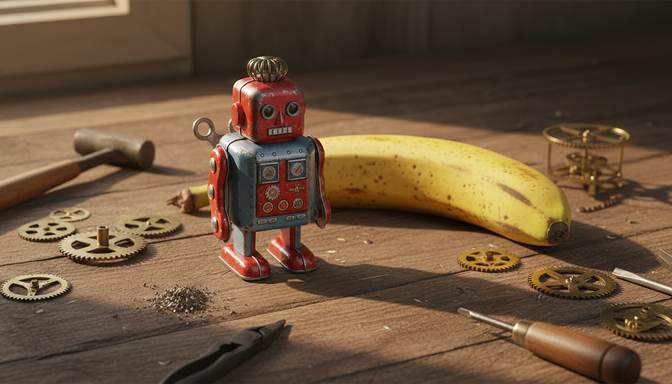
Real result from this tool. Sample made with Nano Banana, reduced to 672 x 384, then enhanced 4x.
Your level and badges
Level 1, with 0.0 MP gained. 5 MP reaches the next level. It's all kept in this browser.
- First clearFinish your first pictureNot earned yet
- Tile tapperTap 5 tiles in one runNot earned yet
- 4K clubMake a picture 3840 pixels wide or moreNot earned yet
- Rank SSharpen a soft picture by 60% or moreNot earned yet
- Second windSend a finished picture through againNot earned yet
- Both modesFinish one Photo and one Art pictureNot earned yet
- CollectorFinish pictures from 4 different AI toolsNot earned yet
- 100 MPGain 100 megapixels in totalNot earned yet
Take a Flux image past its size limit. The AI runs on your own device, so nothing is uploaded, and there's nothing to install.
What size are Flux images?
According to Black Forest Labs, FLUX.2 generates images of up to 4 megapixels, such as 2048 x 2048, and it recommends staying at or below 2 megapixels for the best quality and speed. FLUX.1 Kontext always produces about 1 megapixel, whatever size of image you give it.
So if you follow that advice, the file you get is around 1000 to 1400 pixels on a side. That's fine on most screens, but it's small for a large print or banner.
| Starting size | At 2x | At 4x |
|---|---|---|
| 1024 x 1024 | 2048 x 2048 | 4096 x 4096 |
| 1440 x 1440 | 2880 x 2880 | 5760 x 5760 |
| 2048 x 2048 | 4096 x 4096 | 8192 x 8192 |
Getting the best result
Flux images are usually clean, with little noise, so they enlarge well. Choose Photo for realistic pictures. Choose Art for illustration and graphic styles. Lettering can change slightly, because small text is redrawn, so check it with the compare slider.
Upscalers for other AI tools
Frequently asked questions
Should I generate larger, or upscale afterwards?
If you can generate at 2 megapixels, do that, because Black Forest Labs recommends it. Then upscale the result if you need more than that. If you're happy with a picture you've already made, upscaling keeps it exactly as you liked it.
Does upscaling use my Flux credits?
No. It doesn't connect to Black Forest Labs or any other service. It runs on your own device using a separate open model.
Can it take an 8K-sized output?
A 2048 x 2048 image at 4x is 8192 x 8192, which is wider than 8K's 7680 pixels. That needs a computer with plenty of memory. Phones and low-memory devices are limited to about 17 megapixels.
Your picture is ready. Now put it in front of people.
Oxtro connects your WhatsApp number by QR code, so your team can share one inbox, send images to people who opted in, and run messages from your own code.
More free tools: Image compressorImage resizer All tools